Quickstart
2 minutesAdd persistent memory to your AI agent in 2 steps. Sign up, pick your framework, and your agent automatically remembers conversations, learns user preferences, and builds knowledge over time. Monitor everything from the dashboard.
Get Your API Key
Create a free account at octopodas.com. Once you're in, head to Settings in the dashboard — your API key is right there, ready to copy.
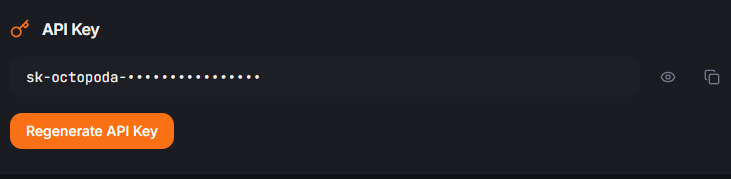
Your key starts with sk-octopoda- — keep it secret, use it in your integration config below.
Free tier includes:
Pick Your Framework
Choose your integration and follow the setup guide. Most take under 2 minutes.
MCP Server
Claude, Cursor, Windsurf. 28 memory tools, no code changes.
Add JSON configLangChain
Drop-in memory for chains and agents. Conversations auto-persist.
pip install octopodaCrewAI
Persistent crew results, agent outputs, and shared knowledge.
pip install octopodaWhat Happens Next
After you set up your integration:
Your agent starts remembering
Conversations, preferences, facts, and decisions are automatically extracted and stored in the cloud.
Memory gets smarter over time
Octopoda builds semantic embeddings so your agent can search by meaning, not just exact keywords.
Knowledge graph grows
Entities and relationships are extracted automatically — people, companies, concepts, and how they connect.
Monitor from the dashboard
See all your agents, their memories, search quality, and performance.
Your agent talks
Octopoda extracts knowledge
Memories stored with embeddings
Dashboard shows everything
Dashboard Preview
See everything your agents remember. Search by meaning, browse the knowledge graph, and monitor performance — all from your browser.
Troubleshooting
"API key required" error
Make sure your API key is set correctly. Check the setup guide for your specific framework.
"Module not found" error
Run pip install octopoda first. For OpenClaw, no pip install is needed.
Connection errors
The SDK and integrations talk to api.octopodas.com. Make sure it's not blocked by a firewall or VPN.
Need help?
Check the docs for your specific integration.
